
You don't need to know how to code to create a Discord bot. With Vibecord, you can describe a custom bot in plain English, review the generated project, and deploy only after the current proof checks support readiness.
What You'll Learn
- How to create a Discord bot without writing any code
- How to deploy your bot through managed hosting
- How to customize your bot's behavior using natural language
Step 1: Sign Up for Vibecord (30 seconds)
Go to vibecord.dev and click "Get Started Free." You can sign up with your Discord account—no email verification needed.
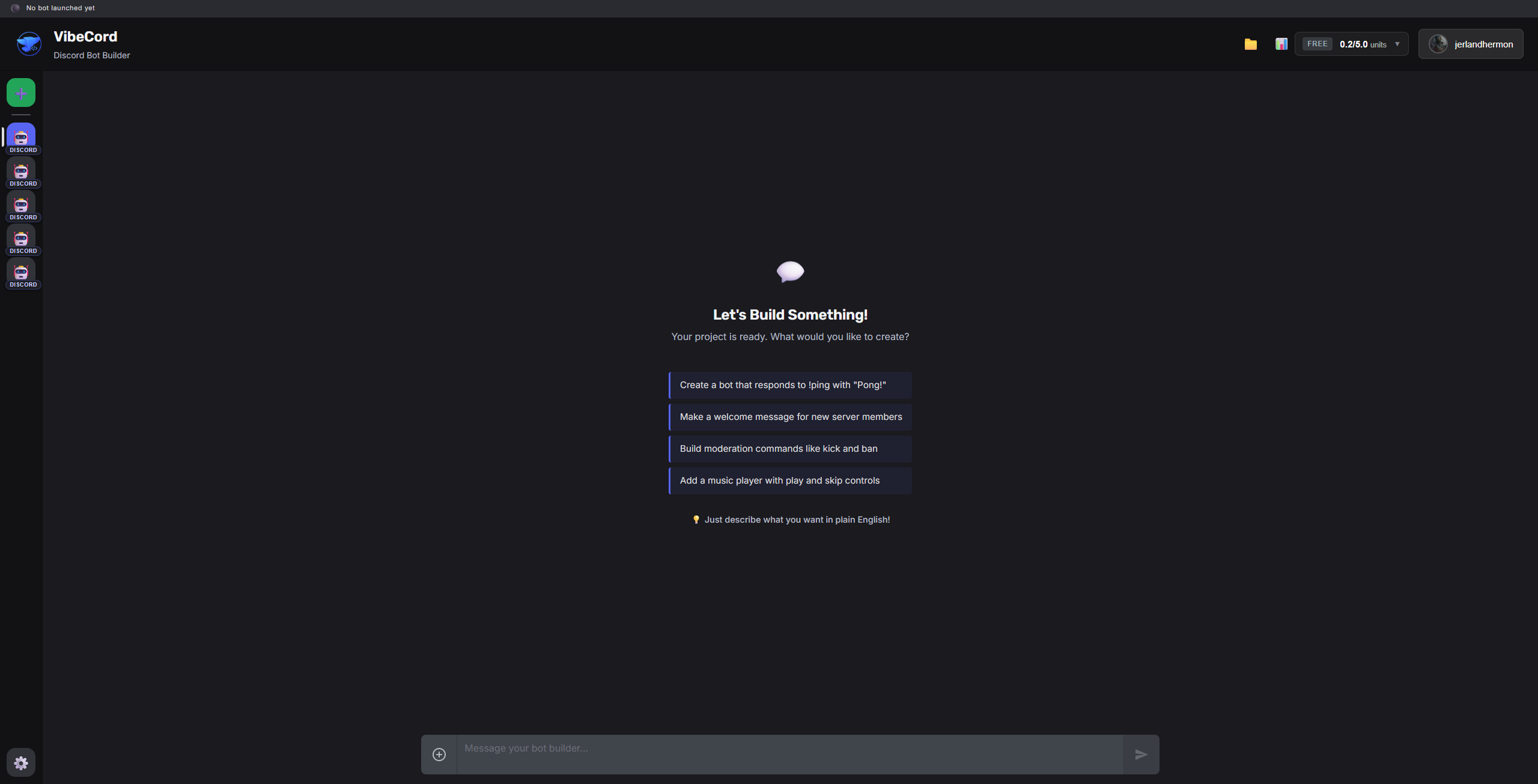
Step 2: Create a New Project (30 seconds)
Click the ➕ button to create a new project. Choose "Discord Bot" as your workload type, give your bot a name, and you're ready to start building.
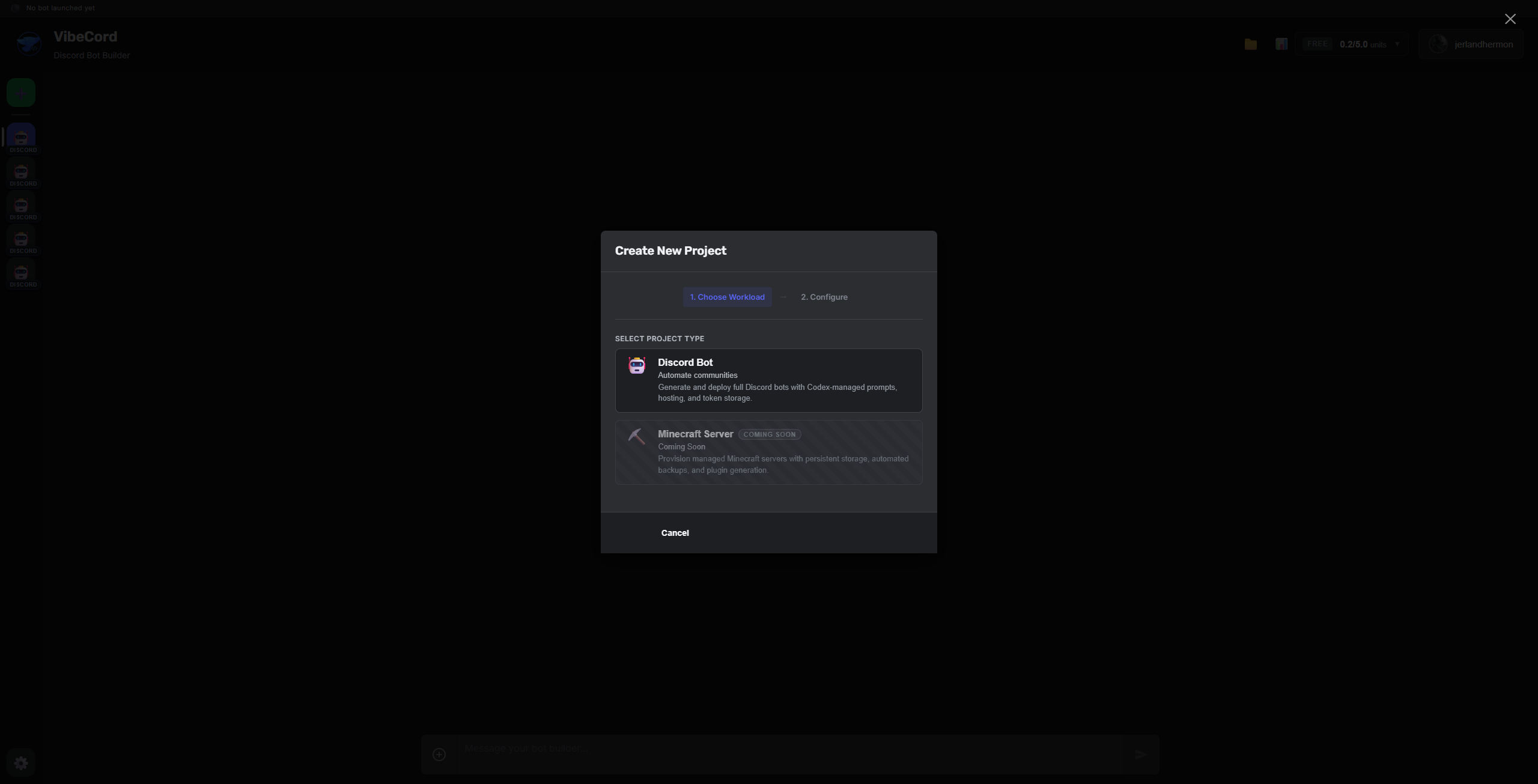
Step 3: Describe What You Want
Here's where the magic happens. In the chat interface, simply describe what you want your bot to do in plain English:
"Create a bot that welcomes new members with a personalized message and assigns them the 'Member' role automatically."
Or try something more specific:
"Build a ticket system where users can create support tickets with /ticket, and staff can close them with /close."
Vibecord's AI understands context. You don't need to use technical terms or specify exact commands—just explain what you want like you would to a friend.
Step 4: Review Generated Code (1 minute)
Vibecord generates auditable code based on your description. You can:
- Preview the code — See exactly what was generated
- Make changes — Just describe what you want different
- Add features — Keep chatting to add more functionality
Step 5: Deploy to Discord (1 minute)
When you're happy with your bot, click Deploy. Vibecord will:
- Guide you through connecting your Discord bot token
- Show deploy status, runtime checks, and setup tasks
- Deploy supported Discord workloads through the managed runtime path
Your bot should be treated as ready only after the deploy checks and current project status support that claim.
Frequently Asked Questions
Do I need a Discord bot token?
Yes, you'll need to create a bot application in the Discord Developer Portal. Vibecord walks you through this process step-by-step.
Is hosting included?
Vibecord includes managed runtime paths for supported Discord workloads. Check the current plan limits, deploy logs, and proof status before making uptime or production-readiness claims.
Can I edit my bot later?
Absolutely. Just describe what changes you want, and Vibecord will update your bot. You can iterate as many times as you need.
What if I mess up?
You can't break anything. Vibecord generates safe, sandboxed code. If something doesn't work as expected, just describe what's wrong and we'll fix it.
Ready to Build?
Create your first Discord bot with Vibecord at vibecord.dev. No credit card required—start with our free tier and upgrade when you need more.
Popular No-Code Bot Builds
Ready to build your own bot?
Stop reading, start building. Create your first Discord bot with no code required.
Get Started Free